1-Page Project Report Template
Download a 1-Page Project Report Template for
Microsoft Word
|
Adobe PDF
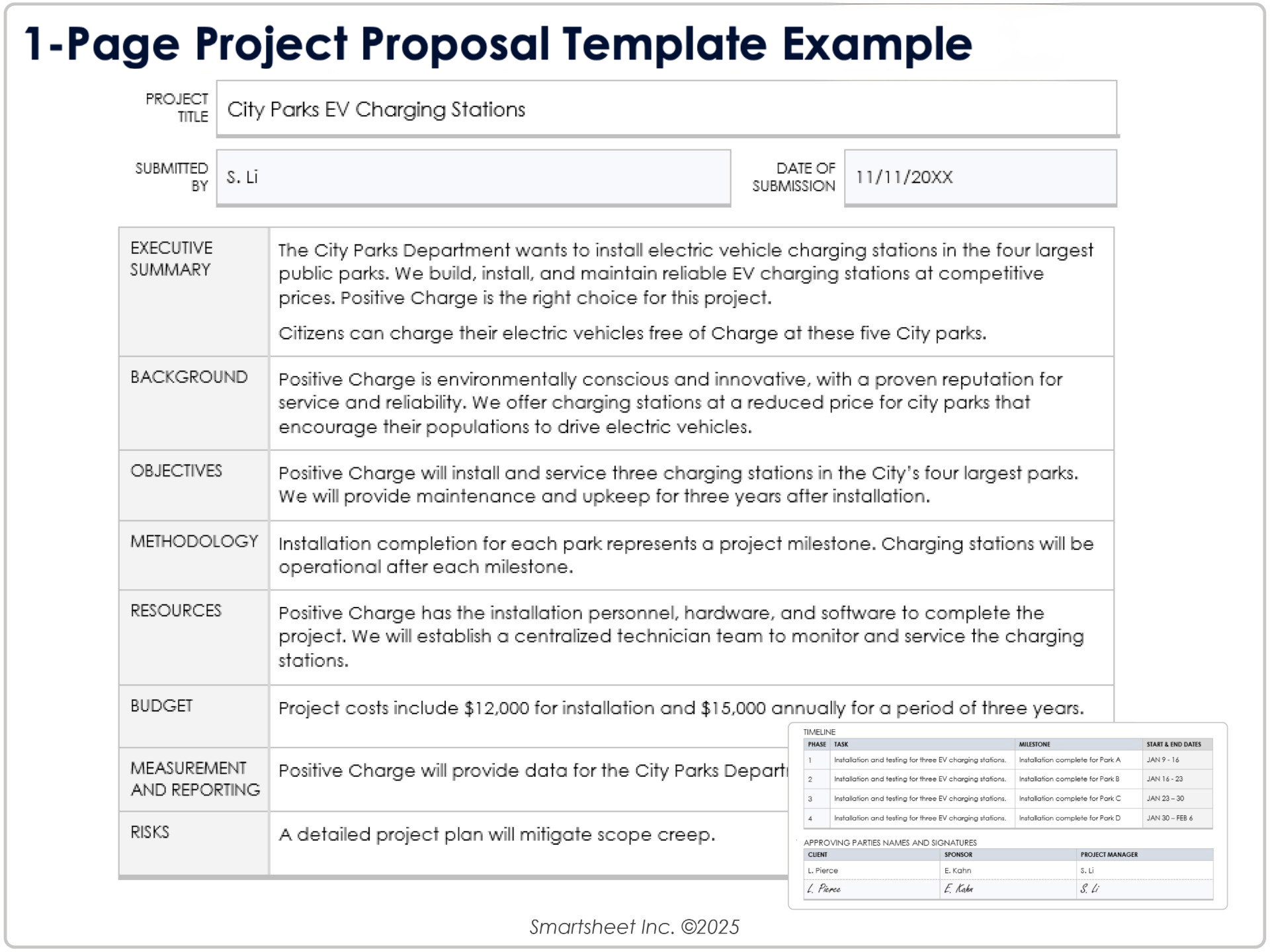
When to Use This Template: Designed for executive summaries and stakeholder check-ins, this template is perfect for when clarity matters more than detail. Use it to deliver a quick project overview on a single page.
Notable Template Features: The clear one-page layout is readable and concise, and provides status overviews by category. It includes sections for a project timeline, key risks, and issue ownership so you can account for all of the action items in your project.
Try the Smartsheet 1-page project report template for even more functionality including a Gantt chart and the ability to attach documents necessary for each phase.
Stoplight Project Report Template

Download a Stoplight Project Report Template for
Excel
|
Microsoft Word
When to Use This Template: Use this template to communicate your project health through color-coded status indicators. It is perfect for stakeholder meetings and progress reviews when you need to highlight which parts of a project are on track, at risk, or facing critical issues.
Notable Template Features: This template features a familiar stoplight visual format for quick and easy communication, as well as separate fields for milestones, concerns, and next steps. It is designed to keep teams and clients closely aligned on priorities and problem areas.
The Smartsheet spotlight project report template features a Gantt chart along with a single view that helps you easily assign priority to tasks, and track budgets, resources, risks, and roadblocks.
Weekly Project Report Template
Download a Weekly Project Report Template for
Excel
|
Microsoft Word
| Smartsheet
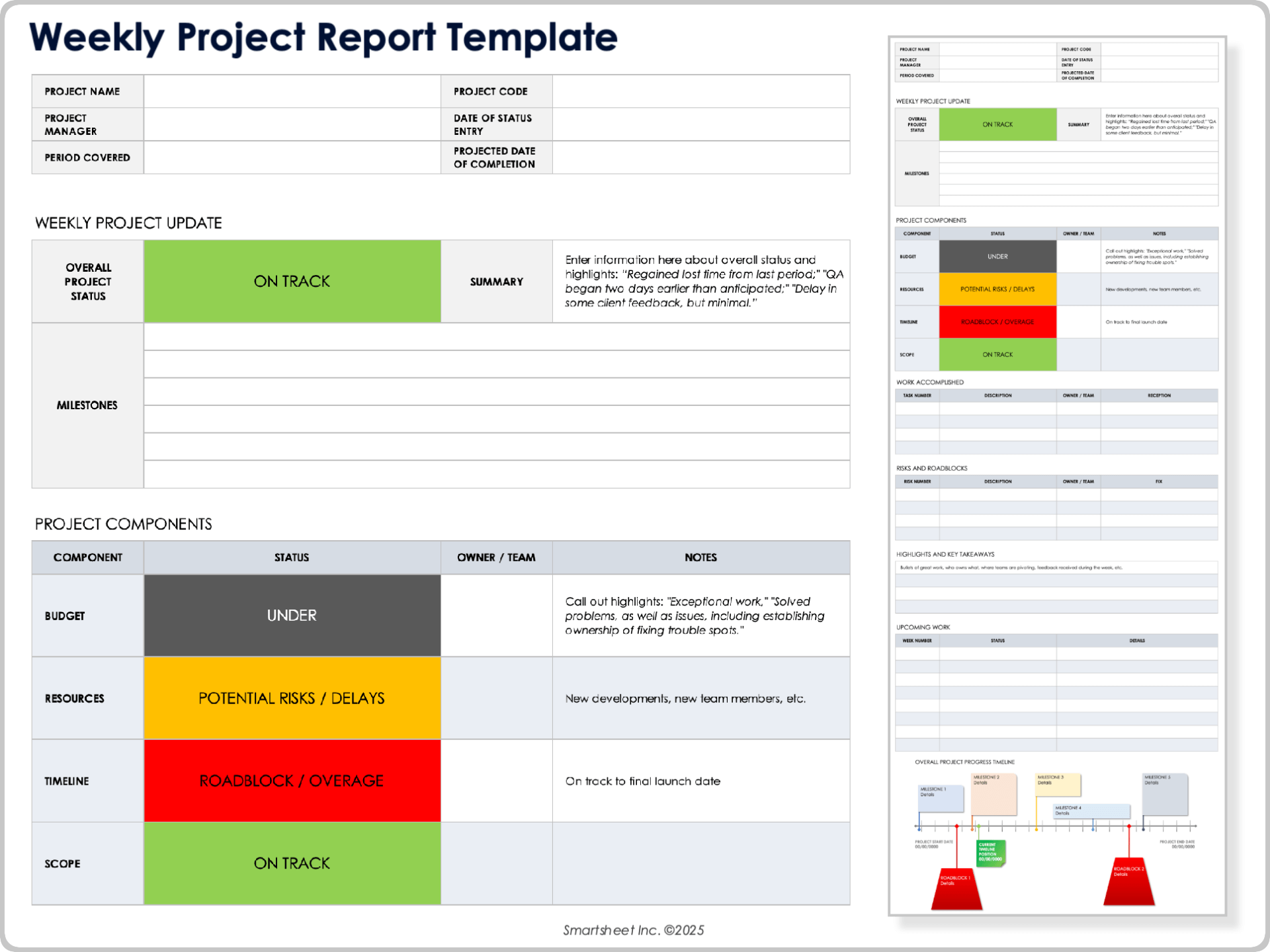
When to Use This Template: This template will keep your project team apprised of weekly progress, challenges, and next steps. It is ideal for long-term projects that need regular updates and communication, and helps improve accountability across multiple departments and project contributors.
Notable Template Features: The template features a weekly reporting format with dedicated sections for work completed, upcoming tasks, and key roadblocks. The visual timeline highlights milestones and progress, with customizable fields for scope, budget, resources, and team updates.
Monthly Project Report Template
Download a Monthly Project Report Template for
Excel
|
Microsoft Word
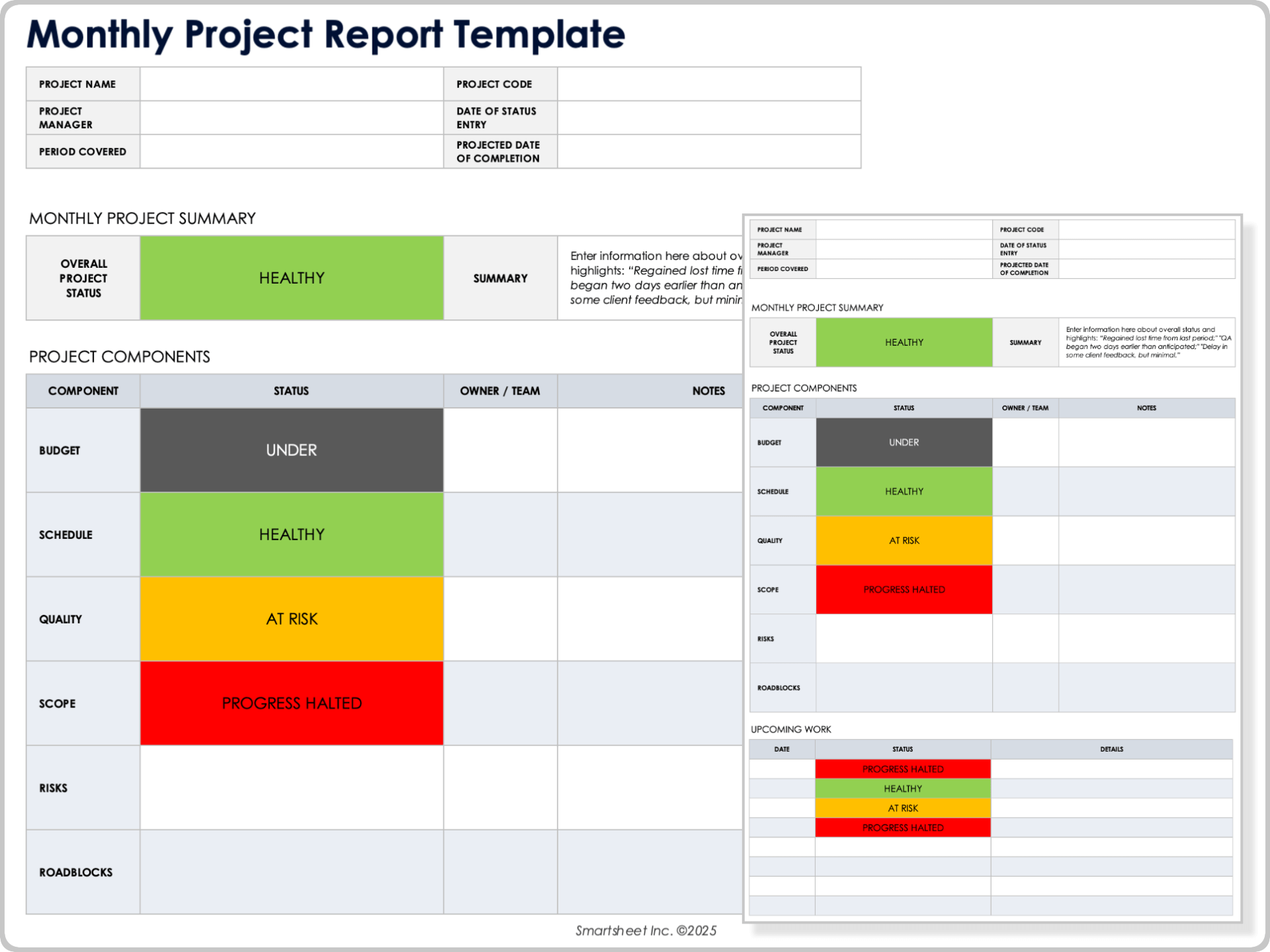
When to Use This Template: At the end of each month, use this template to summarize progress and performance. It is ideal for high-level reporting on longer-term projects, and for clients who need check-ins on trends, milestones, and risks or delays.
Notable Template Features: This template provides a monthly overview section for recording progress and trends. Enter your project tasks, and choose from statuses such as complete, in progress, on hold, or at risk. The template also has space to outline next steps, deadlines, and project priorities.
If you need formats dedicated specifically to status tracking, see our collection of project status templates.
Project Report Dashboard Template

Download the Project Report Dashboard Template for Excel
When to Use This Template: This template is perfect when you need a snapshot of your project’s overall health and performance. Project managers and stakeholders who monitor progress will find it especially useful for tracking multiple metrics and identifying issues that require action.
Notable Template Features: The template includes an interactive dashboard to highlight key project information and tracks costs, tasks, milestones, and action items. Its visual charts highlight performance trends and problem areas to help you make data-driven decisions for your project.
If you need more ways to visualize performance, check out this set of free Excel dashboard templates that offer additional layout and chart options.
Performance Project Report Template

Download a Performance Project Report Template for
Excel
|
Microsoft Word
|
Adobe PDF
When to Use This Template: Use this template to evaluate your project performance against stated goals, timelines, and budgets. It is useful for reviews, stakeholder updates, and reporting focused on efficiency and overall project health.
Notable Template Features: This template includes sections for key activities, deliverables, and deadlines, and tracks metrics such as schedules, quality, and budget. Use it to highlight risks and areas for improvement in order to keep your project on target.
Project Summary Report Template

Download a Project Summary Report Template for
Microsoft Word
|
Adobe PDF
When to Use This Template: This template is ideal for briefings, client updates, or committee meetings. Use it when you need to provide a concise overview of project progress. It helps users summarize achievements, milestones, and upcoming priorities without unnecessary detail.
Notable Template Features: The template summarizes project status, milestones, and key accomplishments, and includes space for escalations, risks, and next steps. Its streamlined format keeps all stakeholders updated on key aspects of the project.
Final Project Report Template

Download a Final Project Report Template for
Microsoft Word
|
Adobe PDF
When to Use This Template: Use this template after a project is complete to evaluate performance and document lessons learned. Users can share it during project closeout meetings and post-mortem reviews, then refer back to it during future projects.
Notable Template Features: The template includes comprehensive project review elements and a built-in table of contents to make reporting and communication clear. There are also sections for team roles, project summary, scope, and costs, as well as areas to note risks and lessons learned.
Executive Project Report Template

Download an Executive Project Report Template for
Microsoft Word
|
Adobe PDF
When to Use This Template: Designed for delivering top-level project summaries to executives or senior stakeholders, this template is useful when teams need to inform leadership of progress, risks, and budget standing.
Notable Template Features: The template focuses on high-level milestones and outcomes with sections for financial overview, risks, and accomplishments. It is customizable to meet your specific reporting standards and needs, and is streamlined for executive presentations.
Project Report for Stakeholders and Partners Template

Download a Project Report for Stakeholders and Partners Template for
Excel
|
Microsoft Word
|
Adobe PDF
When to Use This Template: Use this template to keep stakeholders and partners informed about project progress and outcomes. It is ideal for regular updates and reviews, or any time you need to communicate results or next steps.
Notable Template Features: This template helps users communicate project goals, deliverables, and outcomes by tracking start and end dates, milestones, and overall project performance. It has a clear layout for easy sharing and helps users maintain consistency and transparency among stakeholders.
Project Report for Teams and Departments Template

Download a Project Report for Teams and Departments Template for
Excel
|
Microsoft Word
|
Adobe PDF
When to Use This Template: This template is best for internal team or departmental reporting when you need to track progress and upcoming work. It is perfect for breaking down team responsibilities and completion time estimates for regular project updates.
Notable Template Features: The template helps track task statuses and includes fields for assigned team members, deadlines, and progress notes. It highlights issues like bottlenecks and overlap so departments can stay aligned.
Business Project Report Template
Download a Business Project Report Template for
Microsoft Word
| Google Docs
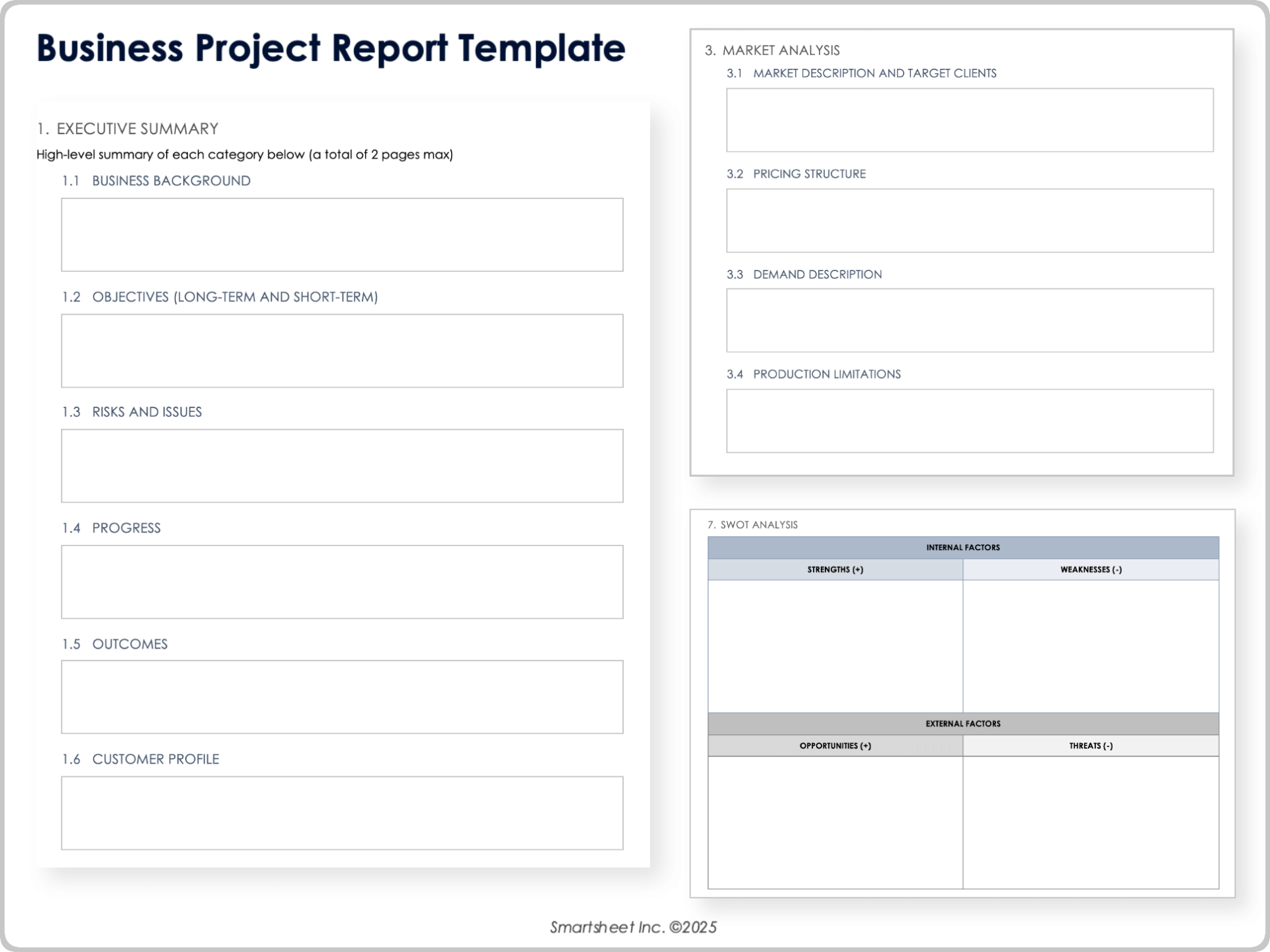
When to Use This Template: Use this template when you need to give a simple, straightforward update on a business project. It works well for projects that involve several teams or have an impact on budgets, operations, or planning. Use it for regular check-ins, standing meetings, or any time you need to show where things stand.
Notable Template Features: The template includes sections for project goals, key metrics, milestones, budget details, risks, and decisions that are still pending. There is also a short summary area at the top to highlight the main points, while the status fields make it easy to see what’s on track and what needs work.
IT Project Report Template

Download an IT Project Report Template for
Excel
|
Microsoft Word
|
Adobe PDF
When to Use This Template: Use this template to provide straightforward updates on an IT project, especially work tied to system changes, software rollouts, security tasks, or troubleshooting. It’s useful for keeping sponsors and team leads informed and works well for sprint reviews or regular check-ins.
Notable Template Features: Designed for both technical and non-technical audiences, this template includes sections for technical goals, system impacts, recent work, upcoming tasks, risks, and open issues. You can also note dependencies, testing updates, and decisions needed from leaders. Enter a brief summary at the top to show where things stand.
Construction Project Report Template
Download a Construction Project Report Template for
Excel
|
Microsoft Word
|
Adobe PDF
| Google Docs
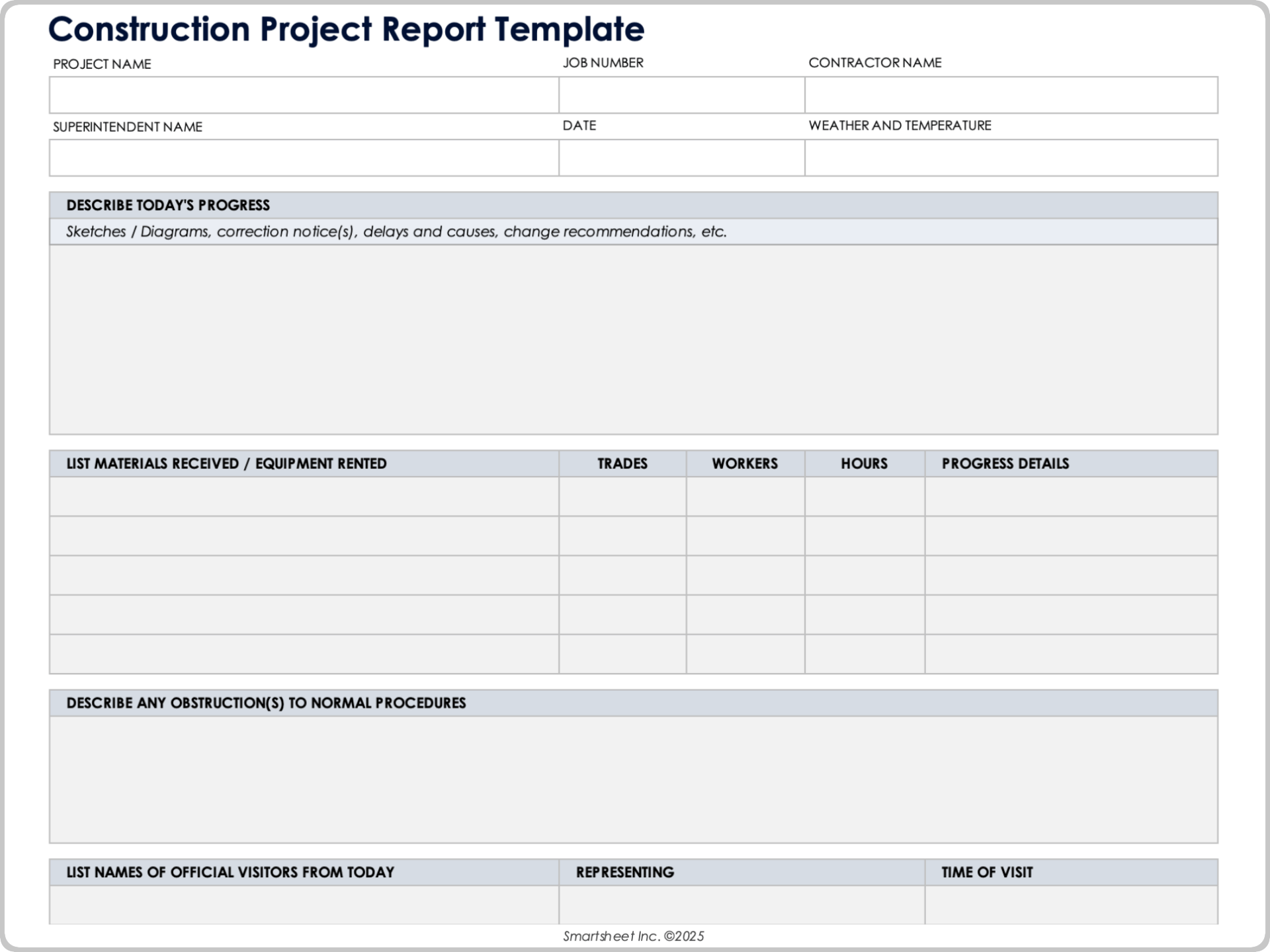
When to Use This Template: Use this template when you need to provide a quick, reliable update on a construction project. It works well for site meetings, weekly check-ins, and anytime you need to show progress on schedules, budget items, and major activities.
Notable Template Features: The template includes sections for current work on site, completed tasks, safety notes, schedule changes, and issues that need attention. There’s also space for photos or site observations so teams and stakeholders can see what’s happening without being on the job site.
Teams working on larger builds or renovations may also find our construction project management templates helpful for planning and tracking.
Project Postmortem Report Template

Download a Project Postmortem Report Template for
Excel
|
Microsoft Word
|
Adobe PDF
When to Use This Template: Use this template after a project wraps up to reflect on what worked, what didn’t, and what should change next time. It’s useful for internal reviews, team debriefs, and capturing lessons learned before starting a new phase or a similar project.
Notable Template Features: The template includes space to summarize outcomes, compare planned versus actual results, note successes, document problems, and record recommendations for future projects. It also provides room for team feedback and action items so improvements aren’t lost once the project is closed.
Dicas para escrever um relatório de projeto
Ao escrever um relatório de projeto, atenha-se aos fatos e faça backup de suas afirmações com dados. Considere usar um modelo para dar estrutura ao seu relatório e adaptá-lo ao seu público. Descrevemos as principais dicas de redação de relatórios abaixo:
- Conheça seu público: o tipo e a profundidade das informações que você comunica em um relatório dependerão da natureza do público. Por exemplo, os gerentes e clientes podem ter uma melhor compreensão dos conceitos e terminologia envolvidos em um projeto do que as partes interessadas e outros funcionários. Um relatório de projeto eficaz, portanto, requer o uso de tom e fraseologia apropriados e saber quando compartilhar detalhes abrangentes em comparação a informações bem detalhadas. Seu público também pode se preocupar com detalhes diferentes ao visualizar um relatório de final de ano em comparação com um relatório de status de projeto.
- Dê estrutura ao seu relatório: depois de identificar o público e quais componentes do projeto comunicar, organize os segmentos do relatório para que as informações façam sentido e sejam úteis para o leitor. Por exemplo, você deve colocar a identificação do projeto e os detalhes do histórico perto do início do relatório e os resumidos perto do final.
- Inclua apenas fatos: o relatório deve permanecer objetivo e livre de tendências pessoais, independentemente de o projeto estar falhando ou tendo um desempenho bem-sucedido. Se uma opinião for necessária, ela deve ser identificada claramente e colocada em um segmento separado do relatório. Além disso, gráficos, métricas e outros dados de desempenho que você apresenta no relatório devem ser precisos e atualizados para que essas informações sejam confiáveis e significativas para o leitor.
- Use um modelo: economize tempo ao criar seu relatório usando um modelo personalizável para começar. Os modelos são úteis para padronizar processos e você pode adaptá-los facilmente para atender às suas necessidades. Use os modelos gratuitos disponibilizados acima para criar relatórios e, em seguida, confira este artigo para obter mais modelos de gerenciamento de projetos.
- Use uma ferramenta de relatórios online: manter o desenvolvimento de um projeto alinhado com as metas de negócios é a base do gerenciamento de projetos, e o sucesso ou o fracasso de um projeto pode depender muito das ferramentas que você usa. Use uma ferramenta online que exiba dados de maneiras diferentes (por exemplo, quadros Kanban, exibições de Gantt e painéis), mostre o status em tempo real de vários projetos, apresente vários níveis de permissão e possibilite que você configure relatórios recorrentes (essas ferramentas podem enviar automaticamente por e-mail esses relatórios recorrentes com uma frequência definida para as partes interessadas designadas, o que permite que os gerentes de projeto se concentrem em outros assuntos críticos do projeto). Essas ferramentas online fornecem maior visibilidade dos processos e status do projeto.
Melhore a criação de relatórios de projeto com o Smartsheet para gerenciamento de projetos
Do gerenciamento de tarefas simples e planejamento de projetos à gestão de portfólio e recursos complexos, o Smartsheet ajuda a melhorar a colaboração e acelerar a velocidade do trabalho — aumentando sua produtividade. Com a plataforma Smartsheet fica fácil planejar, coletar informações, gerenciar e criar relatórios sobre o trabalho de qualquer lugar, ajudando sua equipe a ser mais eficiente e mostrar resultados. Crie relatórios sobre as principais métricas e obtenha visibilidade do trabalho em tempo real, à medida que ele acontece, através de relatórios, painéis e fluxos de trabalho automatizados criados para manter sua equipe conectada e informada. Quando as equipes têm clareza sobre o trabalho que está sendo realizado, elas podem ser muito mais produtivas durante o mesmo período. Experimente o Smartsheet gratuitamente hoje mesmo.
